Playwright Automation Testing Training in Hyderabad With AI | 100% Placement
New Batch Starting Soon — Limited Seats! Book Demo Now
Stad Solution Logo
WhatsApp icon

Playwright Automation Testing Training in Hyderabad with AI | 100% Practical

Discover how automation testing is done for modern web applications with STAD Solutions. Gain hands-on experience in browser automation, application validation and automated test execution with Playwright.

Course Overview

Book Free Live Demo Session


    Certification and Accreditation

    Our Accreditations : ISO 9001 : 2015 Certified Training Institute with Egypt ISO Accreditation
    Google review of Students for STAD Solution

    4.9 / 5

    Justdial Reviews of Students for STAD Solution

    4.9 / 5

    Shulekha review of Students for STAD Solution

    4.9 / 5

    What You'll Learn & Build

    Industry skills that take you from zero to automation expert

    Programming foundation

    JavaScript, TypeScript and Node.js basics you need for test automation.

    • JavaScript
    • TypeScript
    • Node.js
    • npm
    • VS Code
    • Variables & data types
    • Functions
    • Loops & conditions
    • Scope & closures
    • Objects & arrays
    • Array methods
    • JSON
    • Error handling
    • ES6+ features
    • Modules
    • npm commands
    • Node.js file system

    UI automation with Playwright

    Write fast, reliable browser tests for real web apps.

    • Playwright
    • Test runner & config
    • Hooks
    • Locators (getByRole, getByText)
    • Click, fill, hover & drag-drop
    • Dropdowns & checkboxes
    • Multiple tabs & pop-ups
    • Auto-waiting & assertions
    • Screenshots & video

    Pro tools

    • CodegenRecord your clicks in the browser and get test code.
    • Trace ViewerReplay a test step by step to find why it failed.
    • Parallel executionRun many tests at the same time to finish faster.
    • Cross-browserOne test, run on Chromium, Firefox and WebKit.

    API testing

    Test the backend, then combine it with UI checks in one flow.

    • GET
    • POST
    • PUT
    • DELETE
    • API testing basics
    • Requests with Playwright
    • JSON response checks
    • API + UI together

    Framework design

    Turn single scripts into a framework your team can maintain.

    1. Tests
    2. Page classes
    3. Browser
    • Page Object Model
    • Page classes
    • Fixtures
    • Reusable functions
    • Project structure
    • End-to-end setup

    Version control & CI/CD

    Run your tests automatically every time code is pushed.

    • Git
    • GitHub
    • Jenkins
    1. Push
    2. Build
    3. Test
    4. Report
    • Git basics & branching
    • Pull requests
    • Merge conflicts
    • Jenkins setup & jobs
    • Jenkinsfile pipelines
    • Build triggers
    • HTML & Allure reports
    • Jenkins + GitHub

    AI-powered testing

    Work with AI tools, Playwright MCP and AI agents inside your testing workflow.

    Foundations

    • Gen AI
    • Prompt engineering

    AI tools you will use

    • ChatGPT
    • Gemini
    • Claude
    • Copilot
    • TestCraft

    Inside your test workflow

    • Playwright MCP
    • Jira + Claude
    • AI agents
    • AI-assisted testing
    • Generate scripts with AI
    • AI-assisted debugging

    Best Playwright Automation Testing Course in Hyderabad

    Software testing allows teams to find defects before the end user is affected by them. Playwright is an automation framework that facilitates browser actions and application workflow testing in the supported browsers.

    The STAD Solution’s Playwright course teaches you the concepts regarding browser automation and how they can be applied in real-world testing situations. Here you can learn how to deal with page elements, make assertions, run test cases, and analyze results.

    The course may also include the topics of API validation, debugging and test management in order to make the students realize the significance of testing for application quality.

    If you are a fresher looking for software testing, a manual tester considering learning automation or a seasoned professional willing to enhance their knowledge base, the training course will be of great assistance.

    Book Free Demo Class
    Varun Sonavane Training Review for STAD Solution

    Varun Sonavane

    Before Training

    Tech Mahindra logo with students placed after completing training at STAD Solution
    Arrow Down 2

    After Training

    Accenture logo with students placed after completing training at STAD Solution
    Henil Gajjar Training Review for STAD Solution

    Henil Gajjar

    Before Training

    Vivo logo with students placed after completing training at STAD Solution
    Arrow Down 2

    After Training

    Jio logo with students placed after completing training at STAD Solution
    Mayank Verma Training Review for STAD Solution

    Mayank Verma

    Before Training

    Tech Mahindra logo with students placed after completing training at STAD Solution
    Arrow Down 2

    After Training

    TCS logo with students placed after completing training at STAD Solution

    350+ Companies are hiring from
    STAD Solution

    STAD Solution alumni placed at leading MNC companies
    STAD Solution alumni job placement at leading MNC companies

    Our Facts & Figures

    0 %
    Job Placement
    0 +
    Company Tie-Ups
    0 +
    Years of Experience
    0 %
    MNC Placement
    Book a Free Demo

    Student Testimonials

    For STAD Solution, Student's satisfaction is the top most priority

    Placement of

    Non-IT Candidate |

    Placement of

    Year Gap Candidate |

    Eligibility

    Eligibility Criteria - Any Graduate

    Manual Tester

    Eligibility Criteria for Course

    No prior coding knowledge is required.

    which degree Required icon

    Any Degree - B. Tech, BSc, B.Com, BBA, etc.​

    Can IT and Non-IT candidate can do this Course icon

    All IT & Non-IT Branches - CS, EE, Civil, Mech, etc

    Job Roles

    many More..

    Job Roles after IT training

    Student Reviews

    Thousands of positive review from our past students

    Book Free Live Demo Session


      How to switch from Manual to Automation ?

      Our Training Methodology

      STAD Solution's comprehensive training methodology
      Book a free Demo
      Placement records of STAD Solution

      Join STAD Solution on Your Path to
      Advancement in Automation Testing Career

      Automated testing requires knowledge of testing, programming, and problem solving. Playwright training will help you gain more information about automated test scripts which can perform actions repeatedly and analyze the behaviour of applications.

      STAD Solution focuses on hands-on training for understanding how automation scripts are developed, executed, and maintained. Through various exercises, you will have the opportunity to learn how to validate the application functionality, analyze the test results and troubleshoot the failed tests.

      The training program is ideal for individuals who wish to join the software testing domain. It will be of great help for manual testers and QA professionals interested in automation of browsers.

      Prior to joining, you should get a clear idea about the syllabus, fee structure, batch timings, and career support services offered by STAD Solution team.

      Begin to develop your skills in automation testing through proper learning and implementation.

      Best Playwright Automation Testing Training in India

      • Automation of Web Application Workflow: You need to know how to create scripts that will traverse through the pages, work with the page elements and verify that the application works in accordance with expectations.

      • Cross-browser Compatibility Check: Playwright supports such browsers as Chromium, Firefox and WebKit in order to check compatibility with the application.

      • Playwright and JavaScript: Gain knowledge in browser automation using JavaScript or TypeScript depending on the programming language included in the curriculum of the course.

      • Test Management Best Practices: You will learn such important things like locators, assertions, test structure and debugging that will help you manage tests effectively.

      • Testing Your App Continuously with Playwright: Learn how to use the tests developed with the help of Playwright in CI/CD pipelines in order to find regressions in application development.

      • UI and API Testing: Perform validation both through the browser and API requests/response in one action to verify the different aspects of your application.

      A good training process should allow for proper understanding of technical terms and their application to real-life scenarios. The concept behind the STAD Solution revolves around guidance in learning, practice exercises, and skill development in regard to software testing procedures.

      • Learning Under Guidance of Trainer: Learn automation concepts through the means of explanations, demonstrations, and examples of working of test scripts.
      • Interactive Training Sessions: Pose queries, perform testing tasks, and solve typical automation problems with the help of trainers.
      • Revision Resources: Enhance your grasp of concepts by taking recourse to the resources available for revision, as per the policies of the institute.
      • Assistance in Resume and Interview Preparations: Get guidance in showcasing your abilities, talking about projects, and attending software testing interviews. The placement depends on the process adopted by STAD Solutions.
      • Certificate of Course Completion: Course completion and successful submission of assignments can lead to awarding a certificate, as per the certification policy of STAD Solution.
      • Suitable For Different Levels of Experience: Beginners, manual testing individuals and even professional testers can enquire about the course. Knowledge of basic programming is helpful while learning automation scripting.

      Automation testing is not confined to scripting which runs successfully; one needs to have an idea about what to be tested and how and why the test could fail.

      The course involves practical assignments on testing web applications to get mastery of the above-mentioned skills. One can practise selecting elements, verifying the content of the pages, dealing with forms and getting test execution reports.

      An end-to-end testing training course should provide an explanation of the way how various tests interact with each other to prove a complete user experience. Thus, the learners will get the idea of the correlation between the test case development, application functionality, and test coverage.

      With the help of practical assignments, one can get deeper insight into automation techniques and processes.

      • Manual testers: Enhance your testing skills by gaining an understanding of automation using the browser and applications.

      • Freshers & Graduates: Learn technical skills along with your studies as you aim to become part of the testing industry.

      • QA Professionals: Learn about Playwright and what it can do as a browser automation framework.

      • Freelancers: Understand the automation processes that might prove useful in the right software testing jobs.

      • Final Year Students: Get practical experience in the field of testing along with preparing for technical interviews.

      Choosing a suitable training program starts with understanding your learning goals, existing technical knowledge and preferred schedule. STAD Solution can help you explore the available Playwright training options and course requirements.

      Contact the team to discuss curriculum coverage, fees, batch schedules and available career support. You can also ask about the programming languages taught, practical assignments and course completion criteria before enrolling.

      📍 Submit your enquiry through the website form.

      📞 Call or WhatsApp: +91 75730 55577

      ✅ Contact STAD Solution to discuss upcoming batches and take the next step towards developing your automation testing skills.

      Automation Blogs

      Get more knowledge about the Automation Testing

      What Is Automation Testing And Why Is It Used ?

      Difference Between Manual And Automation Testing

      How To Become A QA Automation Tester?

      Impact Of AI On The Software Testing Field

      Certificates

      Internship Certificate
      Course Certificate
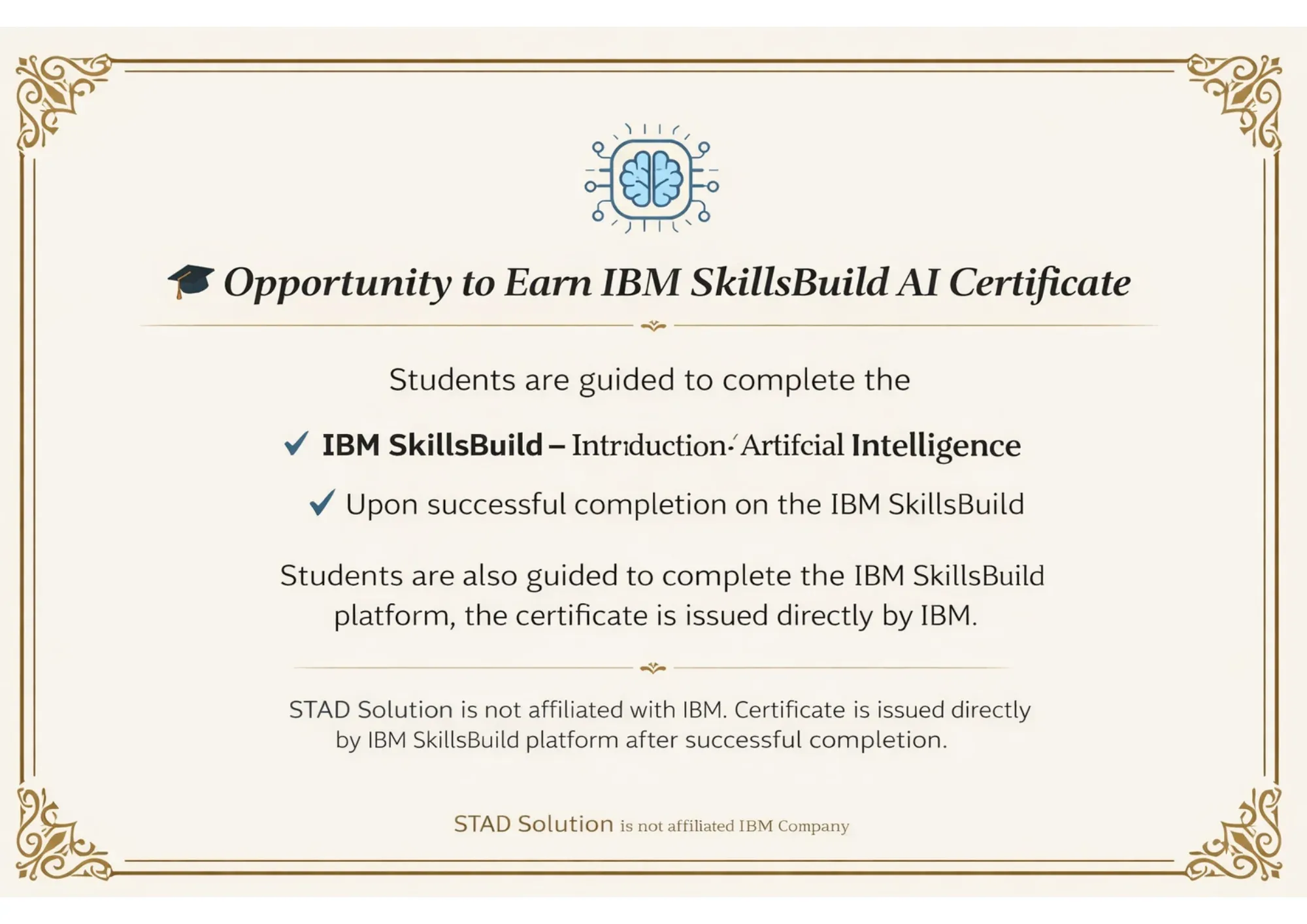
      AI Certificate

      Curriculum

      Introduction of JavaScript
      Setting up Node.js and VS Code
      Variables (var, let, const)
      Data Types (string, number, boolean, array, object)
      Operators & Expressions
      Functions (normal, arrow functions)
      If-else, Switch
      Loops: for, while, for-of, forEach
      Scope & Closures
      Objects & Arrays
      Array Methods (map, filter, reduce)
      JSON Basics (parsing & stringifying)
      Error Handling with try/catch
      ES6+ Features (Template literals, Destructuring, Spread/Rest)
      Modules: import and export
      npm Commands
      Node.js File System Basics

      Introduction to Playwright & Features
      Installation and Setup
      First Playwright Script
      Writing Tests with Playwright Test Runner
      Hooks: beforeAll, beforeEach, afterEach, afterAll
      Config File (playwright.config.js)
      Playwright Locators (getByRole, getByText, getByPlaceholder)
      Click, Fill, Hover, Drag-Drop
      Handling Dropdowns, Checkboxes, Radio Buttons
      Handling Multiple Tabs and Pop-ups
      Auto-waiting & Assertions with expect()
      Screenshots & Video Recording

      Introduction to API Testing
      Using Requests for API Calls
      Validating JSON Response
      GET, POST, PUT, DELETE Methods
      Combining API + UI Tests

      Why is POM Needed
      Creating Page Classes in JavaScript
      Structuring Large Projects
      Reusability & Maintainability
      End-to-End Framework Setup

      What is Git & Version Control
      Git Installation & Configuration
      git init, add, commit, status, log
      Branching: create, switch, merge
      Creating GitHub Repository
      git push, pull, clone, fetch
      Pull Requests & Code Review
      Resolving Merge Conflicts
      .gitignore Setup for Node.js

      What is CI/CD
      Jenkins Installation & Setup
      Jenkins Dashboard Overview
      Creating Freestyle & Pipeline Jobs
      Build Triggers (manual, scheduled, webhook)
      Jenkinsfile (Declarative Pipeline)
      Running Playwright Tests in Jenkins
      Publishing HTML/Allure Reports in Jenkins
      Jenkins + GitHub Integration
      Full Pipeline: Push Code → Build → Test → Report

      What is Generative AI
      Role of GenAI in Software Testing
      Overview: ChatGPT, GitHub Copilot, Gemini, Claude
      Prompt Engineering for QA
      Generating Playwright Test Scripts using AI
      Auto-generating Locators & Test Data
      AI-assisted Debugging of Failed Tests
      Using AI for Test Documentation
      Practical GenAI + Playwright Workflow
      MCP Server Connection
      AI Agent

      FAQs

      This is the training which teaches the learner the basics of automation in browsers through Playwright. The topics that will be taught will depend on the syllabus but can include UI Testing, E2E testing, API Validation, Assertions and Test Executions among others.

      Please contact STAD Solution to talk about the different training options available and batch schedules that will suit your needs.

      The beginners who want to learn software testing and enhance their programming skills can contact us regarding this course. The beginners may have some basic knowledge of programming to start automation scripting.

      Playwright is compatible with programming languages like JavaScript, TypeScript, Python, and C#/.NET. The programming language which you would be trained on will depend on the selected course.

      Yes, it does. Playwright is capable of doing browser-based UI and end-to-end testing as well as API requests/response validation. This allows users to verify the interaction with the UI and service.

      The duration varies based on the course format and batch schedules. Get in touch with STAD Solution to get information regarding the duration of the course.

      Course fees depend on the course program opted for and its curriculum. Contact STAD Solution for more information on course fees and payment methods.

      There may be career help that includes resume writing, interview preparation and placement assistance. Reach out to the STAD Solution team for details about the process.

      Students fulfilling the training and assignment criteria will be provided with a certificate of course completion as per the STAD Solution certification guidelines.

      The skills of a playwright can be helpful for professions like QA Automation Engineer, Automation Test Engineer, and Software Test Engineer. Higher-level jobs may also demand programming, test design, and other software development skills.

      To know about the available options for weekdays and weekends, get in touch with STAD Solution.

      Please contact STAD Solution on +91 75730 55577 for further information on the program curriculum and fees.
      Get a Job Click Here!!!
      Get Me
      JOB

      Get the Details ✨


        Experience the Training Before You Enroll

        Understand the course, meet your mentor and see the live learning environment before joining.


          Experience the Training Before You Enroll

          Understand the course, meet your mentor and see the live learning environment before joining.


            Apply for Job-Focused Training Program


              Request Callback
              Leave your details and we will call you back soon!


                Main Content