Playwright Automation Testing Training in Vadodara With AI | 100% Placement
New Batch Starting Soon — Limited Seats! Book Demo Now
Stad Solution Logo
WhatsApp icon

Playwright Automation Testing Training in Vadodara with AI | 100% Practical

Gain practical understanding of software testing with the help of the STAD Solution. Explore techniques of automation of web browser interactions and testing of the application performance using Playwright.

Course Overview

Book Free Live Demo Session


    Certification and Accreditation

    Our Accreditations : ISO 9001 : 2015 Certified Training Institute with Egypt ISO Accreditation
    Google review of Students for STAD Solution

    4.9 / 5

    Justdial Reviews of Students for STAD Solution

    4.9 / 5

    Shulekha review of Students for STAD Solution

    4.9 / 5

    What You'll Learn & Build

    Industry skills that take you from zero to automation expert

    Programming foundation

    JavaScript, TypeScript and Node.js basics you need for test automation.

    • JavaScript
    • TypeScript
    • Node.js
    • npm
    • VS Code
    • Variables & data types
    • Functions
    • Loops & conditions
    • Scope & closures
    • Objects & arrays
    • Array methods
    • JSON
    • Error handling
    • ES6+ features
    • Modules
    • npm commands
    • Node.js file system

    UI automation with Playwright

    Write fast, reliable browser tests for real web apps.

    • Playwright
    • Test runner & config
    • Hooks
    • Locators (getByRole, getByText)
    • Click, fill, hover & drag-drop
    • Dropdowns & checkboxes
    • Multiple tabs & pop-ups
    • Auto-waiting & assertions
    • Screenshots & video

    Pro tools

    • CodegenRecord your clicks in the browser and get test code.
    • Trace ViewerReplay a test step by step to find why it failed.
    • Parallel executionRun many tests at the same time to finish faster.
    • Cross-browserOne test, run on Chromium, Firefox and WebKit.

    API testing

    Test the backend, then combine it with UI checks in one flow.

    • GET
    • POST
    • PUT
    • DELETE
    • API testing basics
    • Requests with Playwright
    • JSON response checks
    • API + UI together

    Framework design

    Turn single scripts into a framework your team can maintain.

    1. Tests
    2. Page classes
    3. Browser
    • Page Object Model
    • Page classes
    • Fixtures
    • Reusable functions
    • Project structure
    • End-to-end setup

    Version control & CI/CD

    Run your tests automatically every time code is pushed.

    • Git
    • GitHub
    • Jenkins
    1. Push
    2. Build
    3. Test
    4. Report
    • Git basics & branching
    • Pull requests
    • Merge conflicts
    • Jenkins setup & jobs
    • Jenkinsfile pipelines
    • Build triggers
    • HTML & Allure reports
    • Jenkins + GitHub

    AI-powered testing

    Work with AI tools, Playwright MCP and AI agents inside your testing workflow.

    Foundations

    • Gen AI
    • Prompt engineering

    AI tools you will use

    • ChatGPT
    • Gemini
    • Claude
    • Copilot
    • TestCraft

    Inside your test workflow

    • Playwright MCP
    • Jira + Claude
    • AI agents
    • AI-assisted testing
    • Generate scripts with AI
    • AI-assisted debugging

    Best Playwright Automation Testing Course in Vadodara

    Software testers need effective means of analyzing software functionalities and detecting faults before they affect end users. With Playwright, one gets access to tools that help with browser interactions, validating user flows and conducting repeatable tests in supported browsers.

    STAD Solution’s Playwright course covers important aspects of the framework in the form of practical exercises. Browser navigation, element locating, assertion and test execution can be learned alongside getting some insights about automated testing.

    The training program can also include UI testing, API validations and debugging. It will make sure that students have knowledge about how to validate application behaviour and analyze unexpected results.

    From freshers trying to build a career in software quality assurance to manual testers looking forward to learning automation or working professionals who want to upgrade their technical knowledge, this course will suit everyone.

    Book Free Demo Class
    Varun Sonavane Training Review for STAD Solution

    Varun Sonavane

    Before Training

    Tech Mahindra logo with students placed after completing training at STAD Solution
    Arrow Down 2

    After Training

    Accenture logo with students placed after completing training at STAD Solution
    Henil Gajjar Training Review for STAD Solution

    Henil Gajjar

    Before Training

    Vivo logo with students placed after completing training at STAD Solution
    Arrow Down 2

    After Training

    Jio logo with students placed after completing training at STAD Solution
    Mayank Verma Training Review for STAD Solution

    Mayank Verma

    Before Training

    Tech Mahindra logo with students placed after completing training at STAD Solution
    Arrow Down 2

    After Training

    TCS logo with students placed after completing training at STAD Solution

    350+ Companies are hiring from
    STAD Solution

    STAD Solution alumni placed at leading MNC companies
    STAD Solution alumni job placement at leading MNC companies

    Our Facts & Figures

    0 %
    Job Placement
    0 +
    Company Tie-Ups
    0 +
    Years of Experience
    0 %
    MNC Placement
    Book a Free Demo

    Student Testimonials

    For STAD Solution, Student's satisfaction is the top most priority

    Placement of

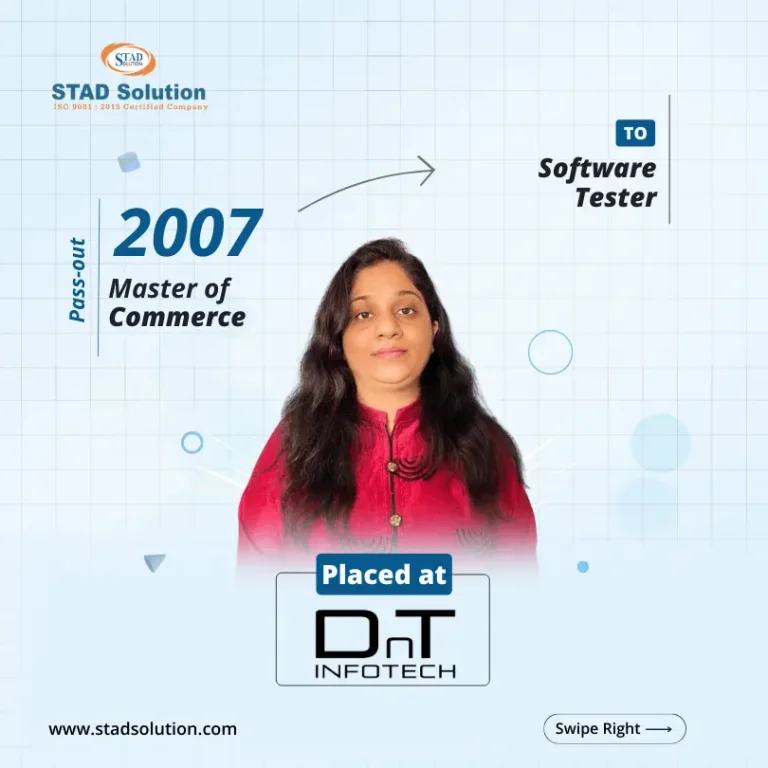
    Non-IT Candidate |

    Placement of

    Year Gap Candidate |

    Eligibility

    Eligibility Criteria - Any Graduate

    Manual Tester

    Eligibility Criteria for Course

    No prior coding knowledge is required.

    which degree Required icon

    Any Degree - B. Tech, BSc, B.Com, BBA, etc.​

    Can IT and Non-IT candidate can do this Course icon

    All IT & Non-IT Branches - CS, EE, Civil, Mech, etc

    Job Roles

    many More..

    Job Roles after IT training

    Student Reviews

    Thousands of positive review from our past students

    Book Free Live Demo Session


      How to switch from Manual to Automation ?

      Our Training Methodology

      STAD Solution's comprehensive training methodology
      Book a free Demo
      Placement records of STAD Solution

      Join STAD Solution on Your Path to
      Advancement in Automation Testing Career

      The objective of automation testing is to aid in software validation through the execution of repetitive tests without relying purely on manual testing. Learning from the playwrights will help understand how to script browser actions to test the functionality of certain features in the applications.

      STAD Solution involves the understanding of the whole process that goes into testing including test scripting and running the tests along with the analysis of the results and defects found. These practical exercises provide an opportunity to implement the concepts learned in practice.

      This training suits those candidates who have recently graduated from college and want to work as software testers or manual QA testers who want to upgrade their knowledge and skills. It will be suitable even for professionals interested in learning about the latest automation frameworks.

      To know more about the curriculum, course fees, batches available and career assistance, contact STAD Solution.

      Build your automation testing knowledge through structured learning and practical exercises that support your professional development.

      Best Playwright Automation Testing Training in India

      • User Journeys Automation: Get familiar with how scripts move between pages, work with web elements, perform actions on forms and verify desired outcomes.
      • Analysis of Cross-Browser Behavior: This allows us to conduct tests of software in different browser engines like Chromium, Firefox, and WebKit.
      • Using Playwright with JavaScript: See how you can write automated tests in either JavaScript or TypeScript depending on your course programming language.
      • Write Testable Scripts: Discover locators, assertions, test organization and debugging that will allow for reviewing and maintaining your automated tests.
      • Integration into CI/CD Pipelines: Learn how to integrate tests into development pipelines in order to detect regressions in application behavior when it changes.
      • Browser-Based and API Testing: Test browser functionality and APIs in order to check different components of an application.

      A great training experience requires both a technical explanation and practice of the implementation of these concepts in testing needs. STAD Solution aims at making trainees understand the concepts of automation testing practically.

      • Trainers’ Practical Advice: Study Playwright functionalities via demonstrations and explanations to understand how automated scripts work.
      • Interactive Training Sessions: Raise questions, debate testings issues and practice automation tasks with help of trainers.
      • Resources for Revisions: Go through learning resources and recordings of sessions to improve your knowledge according to institute’s conditions.
      • Preparation for Resume and Interviews: Receive advice concerning how to present your technical skills and experiences and prepare yourself for software testing interviews. The placement help will depend on STAD Solution’s current procedures.
      • Certificate upon Course Completion: Students eligible to receive the certificate according to STAD Solution’s certificate policy after completing training and assignments.
      • Applicable for Various Levels of Experience: Freshers, manual testers and working professionals can get information about the course depending on their level of experience. Programming basics will be useful while learning automation scripting.

      Developing reliable automation scripts involves proper planning, assertions and an ability to probe any unexpected output. An effective script is only beneficial when it performs the appropriate actions and generates dependable outputs.

      The training covers such aspects in practice using practical tasks related to typical processes of web applications. There is an opportunity to practice element selection, automation, page content validation and test result review.

      Taking the full testing process training enables understanding how separate test cases are used to confirm user journeys. Such knowledge gives insight into how test design and coverage ensure quality assurance of software.

      Practical tasks will help to develop skills in creating, debugging and maintenance of automation scripts.

      • Manual Testers: Expand on your testing experience through automating repetitive tests and application processes.
      • Freshers & Graduates: Pick up hands-on testing experience to go along with your studies and prepare yourself for QA jobs.
      • QA Professionals: Know more about what Playwright offers and how it could help you with your existing testing tools.
      • Freelancers: Pick up browser automation that might help in the right software testing jobs.
      • Final Year Students: Get hands-on experience in automation while preparing for interviews.

      Before choosing a training program, consider your current skills, learning objectives and preferred schedule. STAD Solution can help you understand the available Playwright training options and identify a suitable batch.

      Contact the team to enquire about the course curriculum, fees, upcoming schedules and available career support. You can also confirm the programming languages covered, practical assignments and course completion requirements before enrolling.

      📍 Submit your enquiry through the website form.

      📞 Call or WhatsApp: +91 75730 55577

      ✅ Contact STAD Solution to enquire about upcoming batches and plan your next step towards automation testing.

      Automation Blogs

      Get more knowledge about the Automation Testing

      What Is Automation Testing And Why Is It Used ?

      Difference Between Manual And Automation Testing

      How To Become A QA Automation Tester?

      Impact Of AI On The Software Testing Field

      Certificates

      Internship Certificate
      Course Certificate
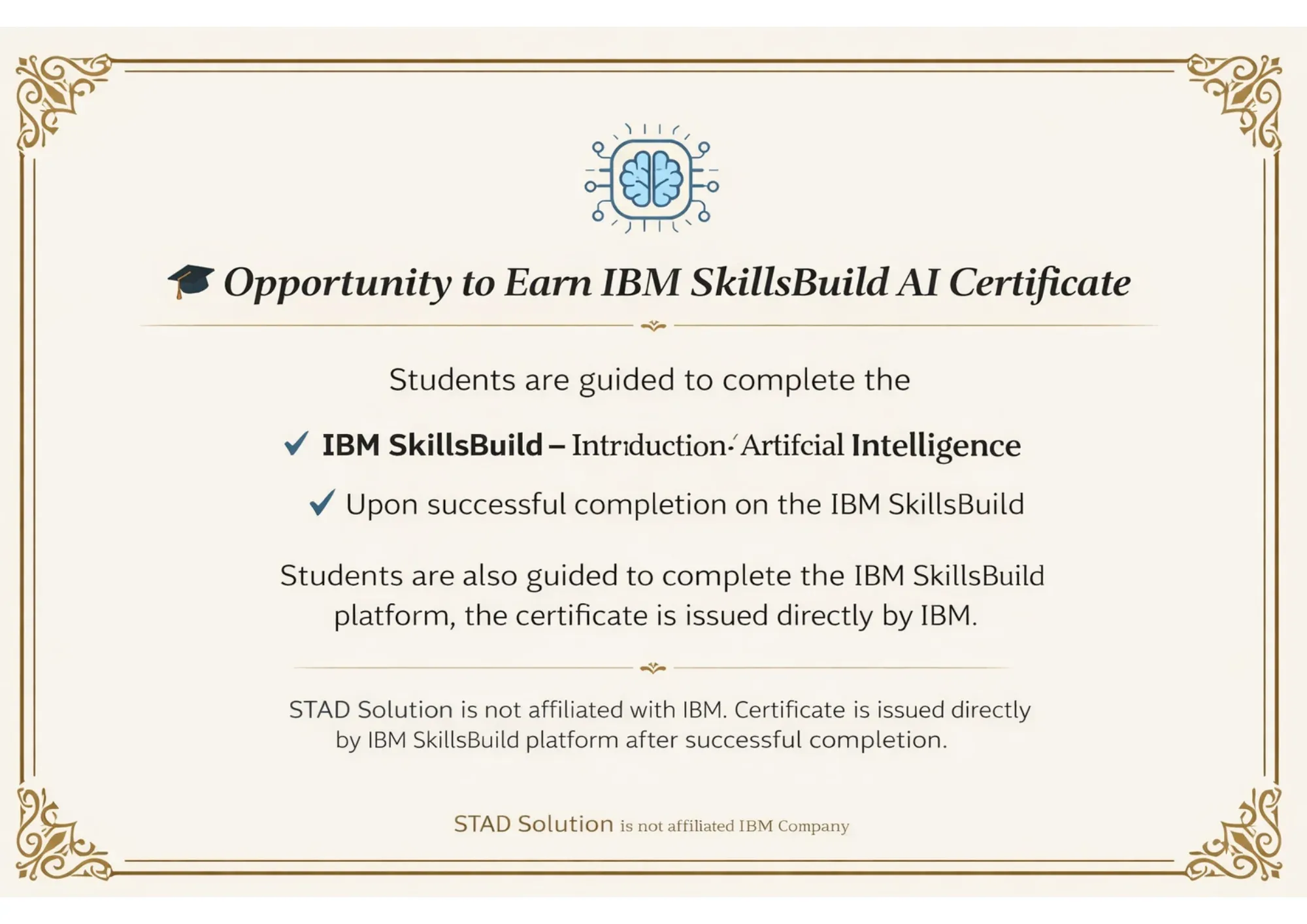
      AI Certificate

      Curriculum

      Introduction of JavaScript
      Setting up Node.js and VS Code
      Variables (var, let, const)
      Data Types (string, number, boolean, array, object)
      Operators & Expressions
      Functions (normal, arrow functions)
      If-else, Switch
      Loops: for, while, for-of, forEach
      Scope & Closures
      Objects & Arrays
      Array Methods (map, filter, reduce)
      JSON Basics (parsing & stringifying)
      Error Handling with try/catch
      ES6+ Features (Template literals, Destructuring, Spread/Rest)
      Modules: import and export
      npm Commands
      Node.js File System Basics

      Introduction to Playwright & Features
      Installation and Setup
      First Playwright Script
      Writing Tests with Playwright Test Runner
      Hooks: beforeAll, beforeEach, afterEach, afterAll
      Config File (playwright.config.js)
      Playwright Locators (getByRole, getByText, getByPlaceholder)
      Click, Fill, Hover, Drag-Drop
      Handling Dropdowns, Checkboxes, Radio Buttons
      Handling Multiple Tabs and Pop-ups
      Auto-waiting & Assertions with expect()
      Screenshots & Video Recording

      Introduction to API Testing
      Using Requests for API Calls
      Validating JSON Response
      GET, POST, PUT, DELETE Methods
      Combining API + UI Tests

      Why is POM Needed
      Creating Page Classes in JavaScript
      Structuring Large Projects
      Reusability & Maintainability
      End-to-End Framework Setup

      What is Git & Version Control
      Git Installation & Configuration
      git init, add, commit, status, log
      Branching: create, switch, merge
      Creating GitHub Repository
      git push, pull, clone, fetch
      Pull Requests & Code Review
      Resolving Merge Conflicts
      .gitignore Setup for Node.js

      What is CI/CD
      Jenkins Installation & Setup
      Jenkins Dashboard Overview
      Creating Freestyle & Pipeline Jobs
      Build Triggers (manual, scheduled, webhook)
      Jenkinsfile (Declarative Pipeline)
      Running Playwright Tests in Jenkins
      Publishing HTML/Allure Reports in Jenkins
      Jenkins + GitHub Integration
      Full Pipeline: Push Code → Build → Test → Report

      What is Generative AI
      Role of GenAI in Software Testing
      Overview: ChatGPT, GitHub Copilot, Gemini, Claude
      Prompt Engineering for QA
      Generating Playwright Test Scripts using AI
      Auto-generating Locators & Test Data
      AI-assisted Debugging of Failed Tests
      Using AI for Test Documentation
      Practical GenAI + Playwright Workflow
      MCP Server Connection
      AI Agent

      FAQs

      It is training which focuses on teaching the learner about browser automation through Playwright. According to the course curriculum, it includes topics like UI Testing, End to End Testing, API Testing, assertions, and Automated Test Execution.

      Contact STAD Solution to get more information on the training possibilities, available batches, and which one is best for you.

      If you have interest in software testing and want to learn programming skills, then you can enquire about the course. It would be useful if one knows basic programming.

      Playwright supports JavaScript, TypeScript, Python, and .NET (such as C#). The training will be based on the language selected by the trainee.

      Yes, because it provides the functionality of browser UI and end-to-end testing as well as API request-response testing.

      The period depends on the chosen course format and batch timing. Get in touch with STAD Solution for details regarding duration and next batches.

      Costs for the course depend on the chosen training program and its extent. Get in touch with STAD Solution for more details.

      This will be included in career guidance that includes resume preparation tips, interview coaching, and placement assistance. Please contact the experts to know more about the process.

      Those students who qualify in terms of course work and assignments will be provided with a certificate, as per the STAD Solution certification policy.

      The Skill of Playwright might be useful in jobs like QA Automation Engineer, Automation Test Engineer and Software Test Engineer, among others. Some higher level jobs may also call for programming expertise along with other software development skills.

      Get in touch with STAD Solution for information regarding available batch timings for weekdays and weekends along with the schedule.

      For all your queries regarding the syllabus, fee structure, and enrollment process, please get in touch with STAD Solution on +91 75730 55577.
      Get a Job Click Here!!!
      Get Me
      JOB

      Get the Details ✨


        Experience the Training Before You Enroll

        Understand the course, meet your mentor and see the live learning environment before joining.


          Experience the Training Before You Enroll

          Understand the course, meet your mentor and see the live learning environment before joining.


            Apply for Job-Focused Training Program


              Request Callback
              Leave your details and we will call you back soon!


                Main Content